Esta entrada no está traducida. Lees el texto en inglés. Ir al original en inglés
What it does
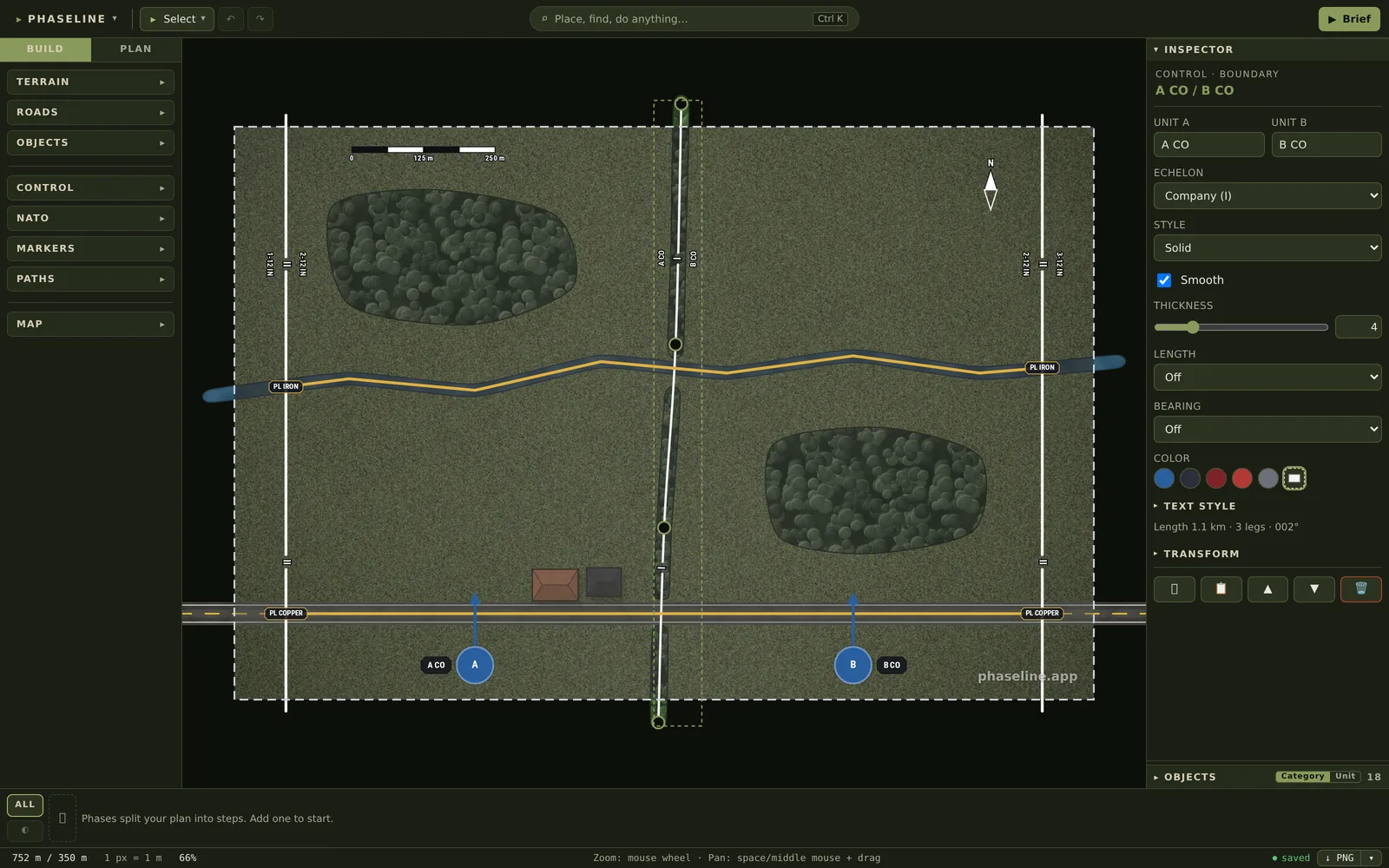
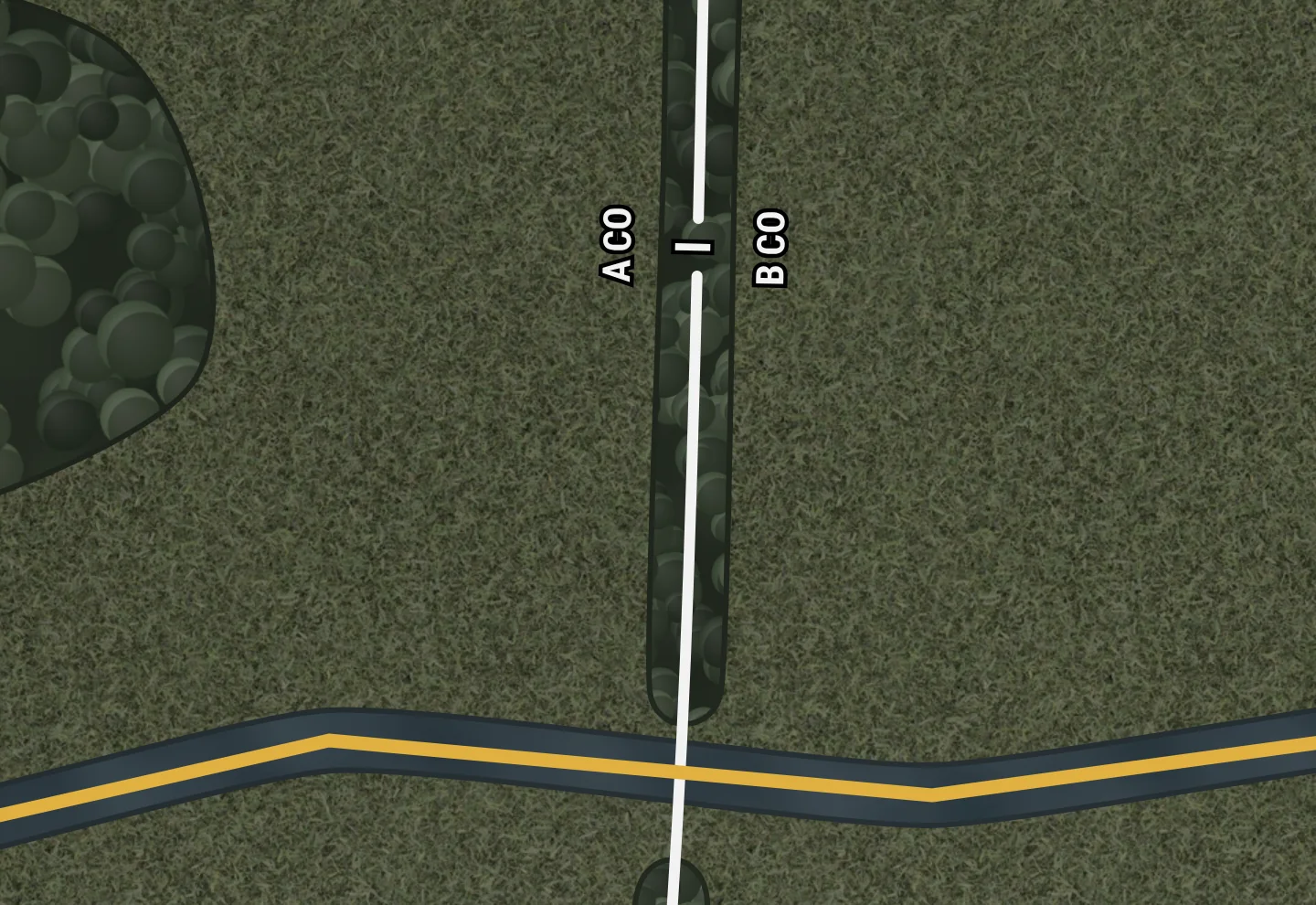
A boundary divides the ground between two units. The line has a gap with the echelon symbol of the units in it, for example I for companies, and the name of each unit is on its side. The Boundary tool (B) draws the line click by click. On a long line, Phaseline repeats the echelon symbol.
Why it is there
Inside its boundary a unit moves and fires freely. It does not move or fire across the boundary before it coordinates with the unit on the other side. On a map with no boundary, two platoons can both think that the same wood is theirs, and both put fire into it. A boundary gives each part of the ground to one unit.
How to use it
- Push B, or open the tool button at the top left (it says Select) and click Boundary.
- Click on the map where the line starts. Put the line on a feature that is easy to find on the ground, such as a tree line.
- Click once on each bend. Wait a moment between two clicks, because two fast clicks end the line.
- Double-click, or push Enter, to end the line. Push Esc to stop without a line.
- Write the names of the two units into Unit A and Unit B in the INSPECTOR. Unit A is on the left side of the line when you look in the direction in which you drew it.
- Select the Echelon of the two units, for example Company (I).
- Set Style to Dashed for a planned boundary. Select Smooth to give the line a curve through its bends.
On the map
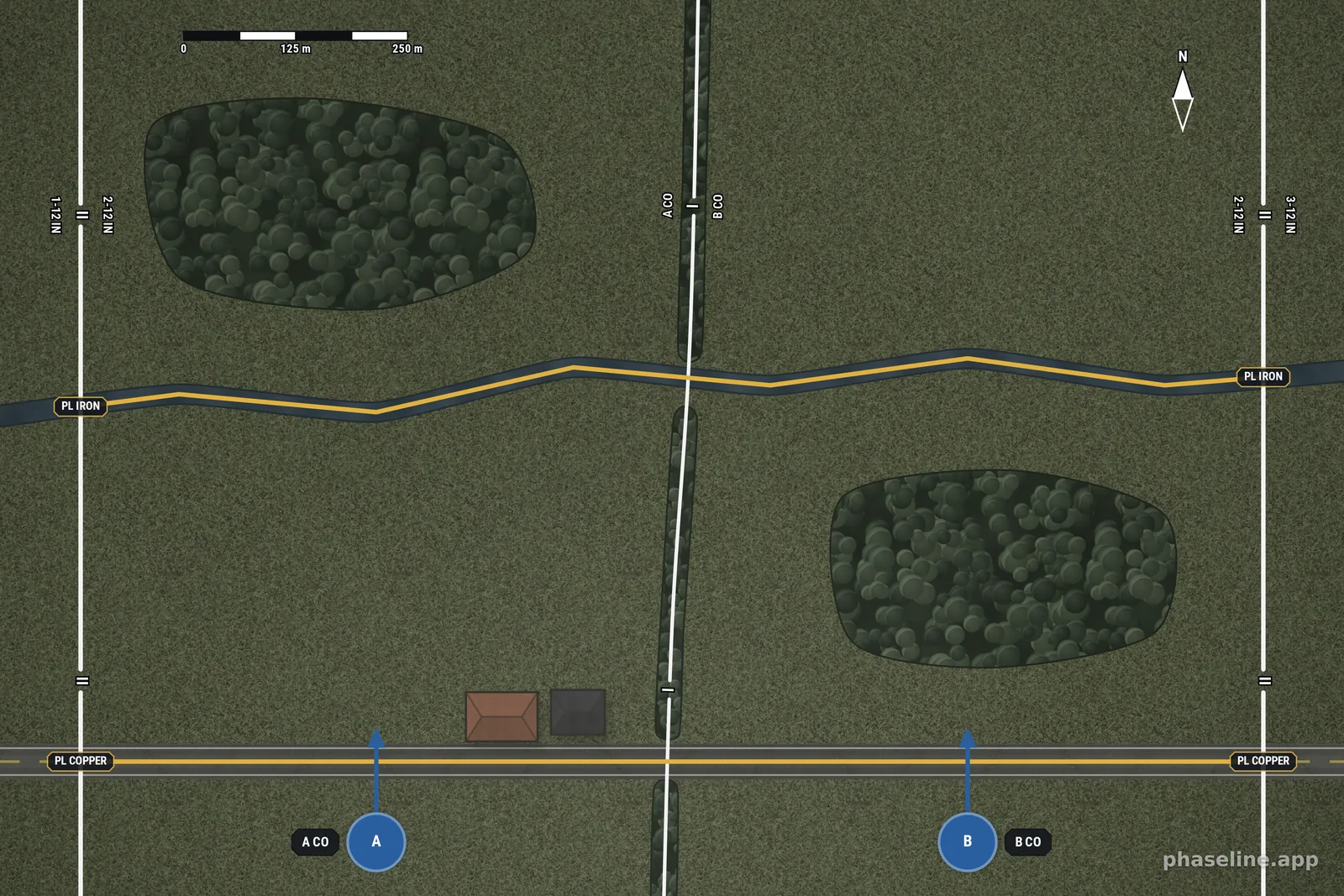
The example is the battalion sector of the Phase lines entry. Two battalion boundaries (II) close it on the west and on the east. The company boundary (I) divides it between A CO and B CO. That boundary follows a tree line through the open ground between the two woods, thus each wood is in the ground of one company only.
Limits
- The unit names are only at the middle echelon symbol. The echelon symbol repeats approximately every 600 px along the line.
- To put the two units on the other sides, exchange the text of Unit A and Unit B.
- A boundary is an open line. To close the area of a unit, draw one boundary for each side.
- There is no field for an enemy boundary. Write ENY in the two unit fields and select a red Color.
- Text style changes the two unit names. The echelon symbol always has the same size and style.
Related
- Phase lines — the line that crosses a boundary, and that the units on both sides share.
- Control measures, explained in pictures — why the boundary is the most important line on the map.
- Grid references — how to give the bends of a boundary in an order.
- All the entries of this handbook — one page for each function of the editor.