Cette entrée n'est pas traduite. Vous lisez le texte anglais. Aller à l'original anglais
What it does
A phase line is a line across your sector with a name at each end, for example PL IRON. Units report when they cross it, and the order can attach a task or a time to it. The Phase Line tool (L) draws the line click by click, so it can follow a road, a stream or a ridge.
Why it is there
A map with only the units on it does not show where the units are now. "We are past the farm" is correct for one person. "Crossing PL COPPER" is the same report for each unit on the radio net, and it needs no grid reference. The line also gives the order a place for a condition: "Do not cross PL IRON before the support element is in position."
How to use it
- Push L, or open the tool button at the top left (it says Select) and click Phase Line.
- Click on the map where the line starts. A phase line goes across the full sector, so start it on the boundary of the sector.
- Click once on each bend of the feature that the line follows. Wait a moment between two clicks, because two fast clicks end the line.
- Double-click, or push Enter, to end the line. Push Esc to stop without a line.
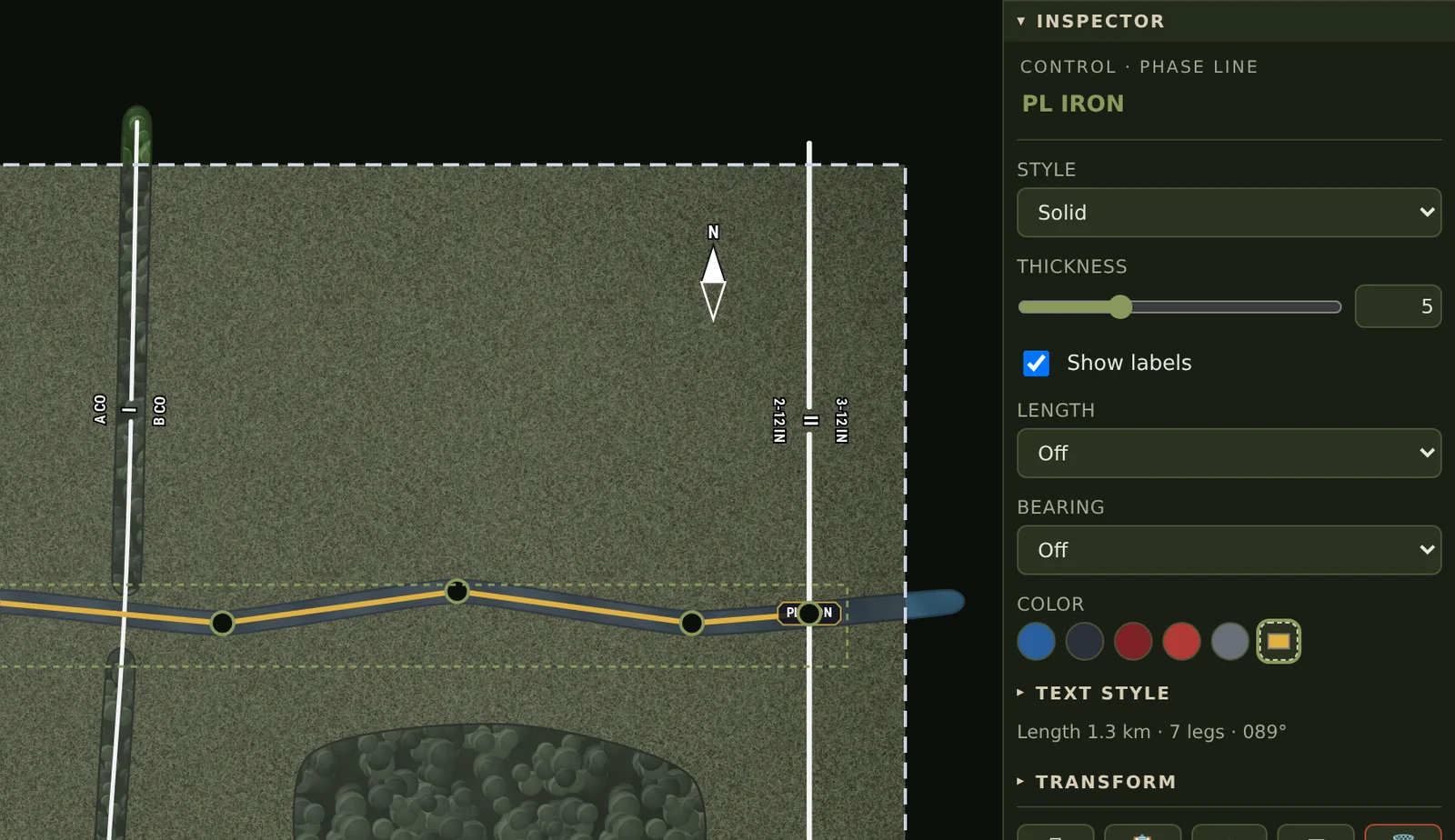
- Click the name at the top of the INSPECTOR, write the name of the line, for example PL IRON, and push Enter.
- Select a Color. Set Style to Dashed for a line that is planned and not yet in effect.
- To move a bend, drag its handle. To add a bend, click on the line between two handles. To remove a bend, hold Alt and click its handle.
On the map
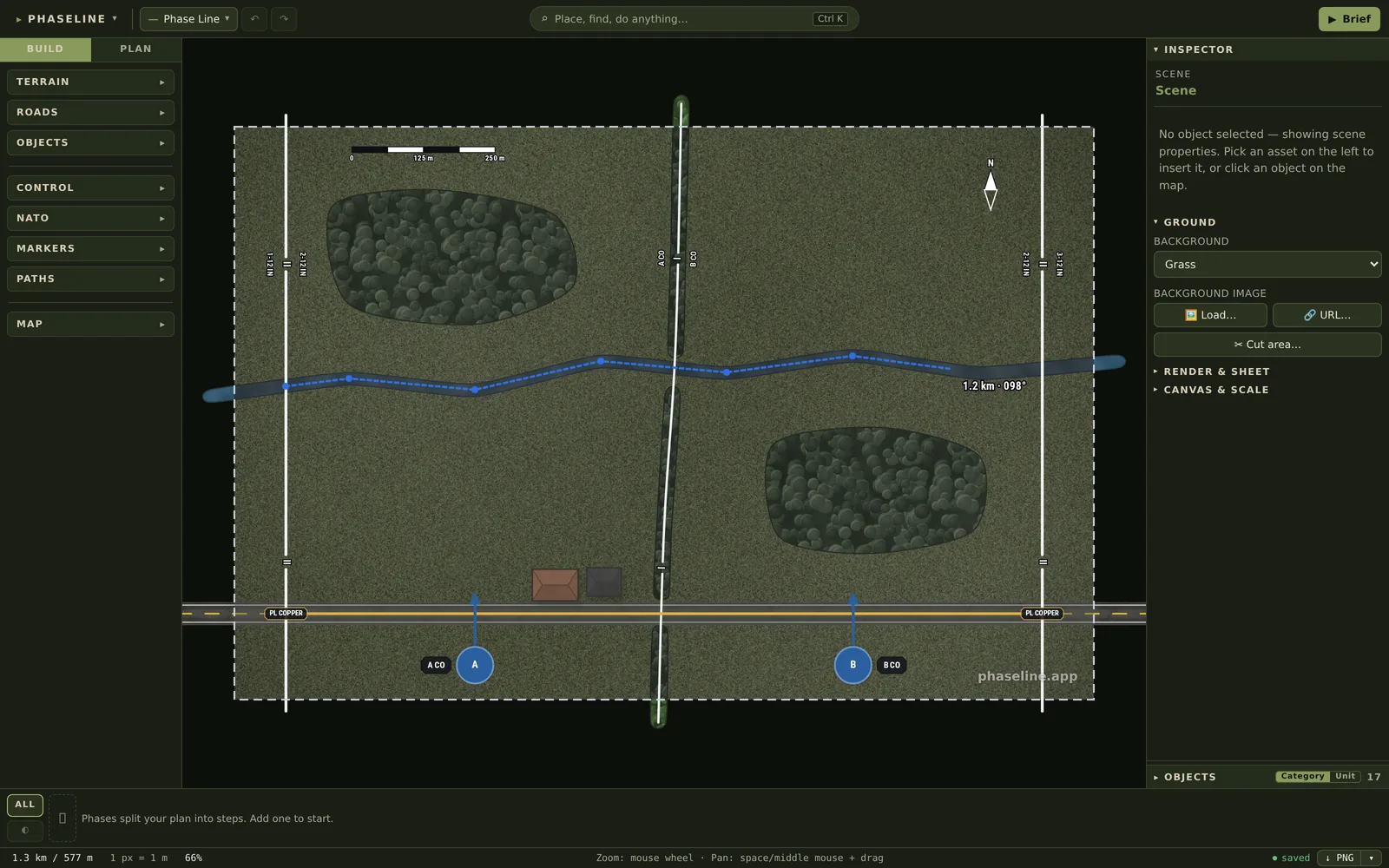
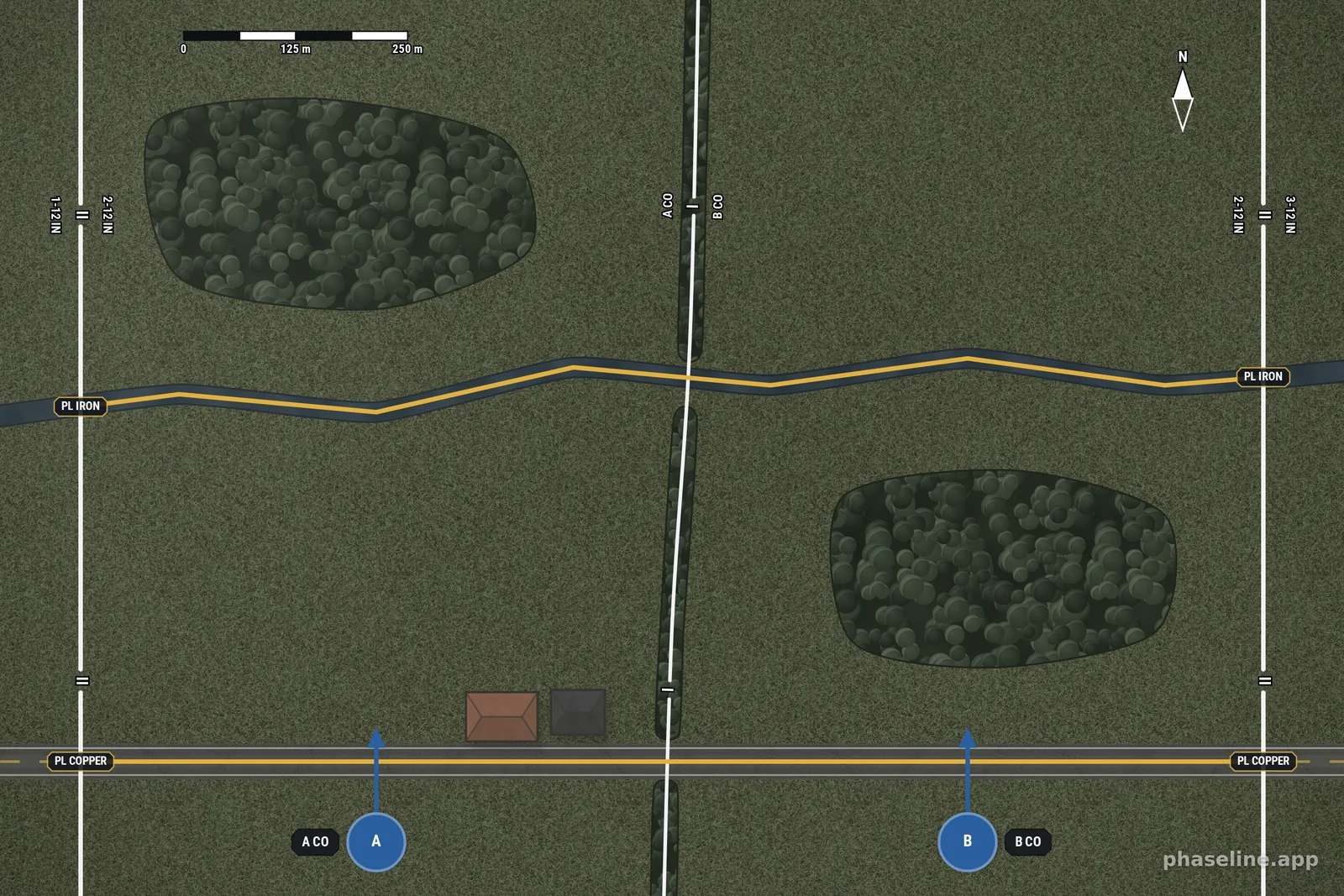
The example is the sector of one battalion, 2-12 IN, that attacks north with two companies. PL COPPER is on the road and PL IRON is on the stream. Both lines go from the west boundary of the battalion to its east boundary. Thus A CO and B CO report on the same two lines, and the boundary between the two companies does not cut them.
Limits
- The name is at the two ends of the line only. On a long line, put a Text Label with the same name where a reader needs it.
- A phase line has one name. For a line with a purpose, such as a line of departure, write the purpose into the name, for example PL COPPER (LD).
- The line does not follow a road or a stream automatically. You put each bend on the feature.
- A phase line does not give ground to a unit. A line that divides the ground between two units is a boundary.
Related
- Boundaries — the line that gives ground to a unit, and that a phase line crosses.
- Control measures, explained in pictures — the phase line among the other lines, areas, points and arrows.
- Graphic control measures — how a phase line goes into an order.
- All the entries of this handbook — one page for each function of the editor.